

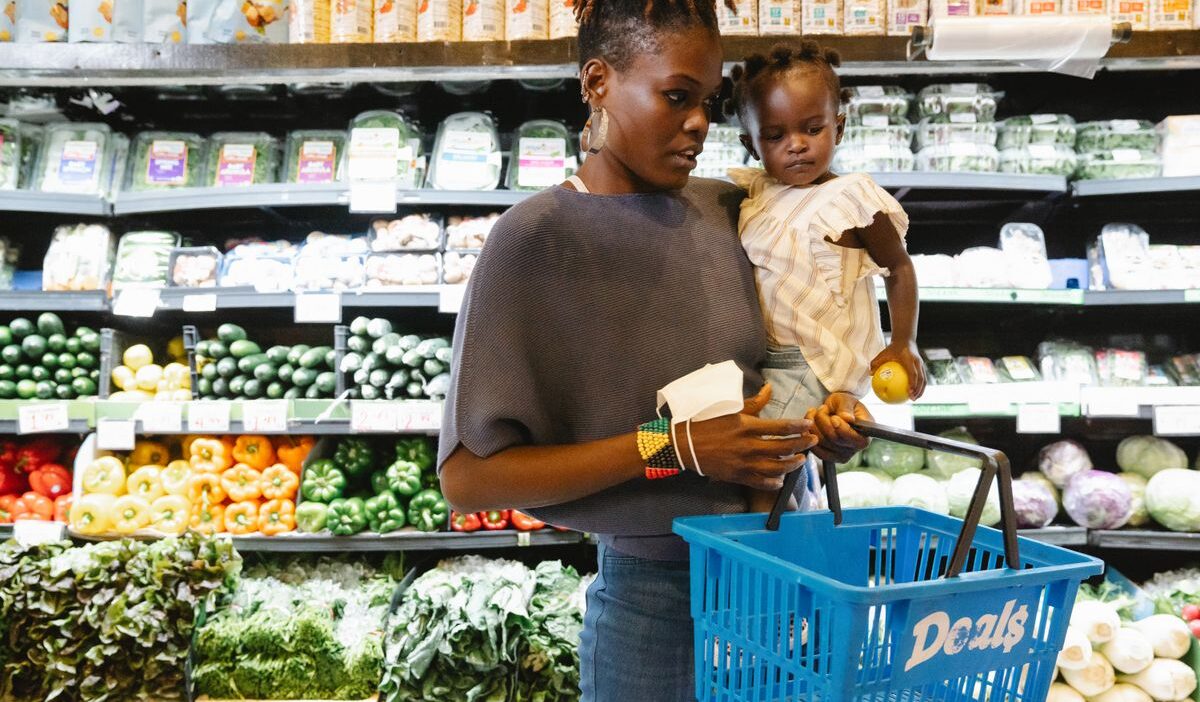
Whole Foods is often associated with premium groceries, but SNAP recipients can still use their benefits on many everyday essentials sold there. For shoppers wondering does Whole Foods take EBT in 2026, the answer is yes.
Participating U.S. locations accept SNAP EBT for eligible groceries, while supported areas also allow online payment through Amazon. However, SNAP cannot cover every product or delivery-related charge. This guide explains what qualifies, how to pay in stores and online, and what to check before placing a delivery order.
1. Does Whole Foods Take EBT?
Yes, Whole Foods Market accepts SNAP EBT at its participating U.S. stores. Shoppers can use SNAP food benefits for qualifying groceries, including produce, dairy products, meat, bread, and pantry staples.
However, does Whole Foods accept EBT for everything in the store? No. Approval applies only to products that meet federal and, where applicable, state SNAP rules. Alcohol, supplements, hot prepared foods, and household supplies generally require another payment method.
An EBT card may contain different types of assistance. SNAP benefits are specifically reserved for eligible food purchases, while cash assistance, if available, follows separate state rules.
Acceptance of SNAP therefore does not automatically mean Whole Foods accepts every benefit stored on the card. Store participation and online availability may also vary by address.
2. What Can You Buy at Whole Foods With EBT?
Knowing does Whole Foods take EBT is only the first step because each product must also qualify under SNAP rules.
The USDA SNAP eligible food guidance provides the most reliable general standard, although approved state waivers may impose additional restrictions.
SNAP benefits commonly cover:
- Fresh, frozen, or canned fruits and vegetables
- Meat, poultry, fish, and seafood
- Milk, cheese, yogurt, and other dairy products
- Bread, rice, pasta, cereal, and grains
- Canned goods, cooking ingredients, and pantry staples
- Snacks and nonalcoholic beverages, subject to applicable state rules
- Seeds and plants that produce food for the household
SNAP generally cannot pay for:
- Beer, wine, liquor, or tobacco
- Vitamins, medicines, and dietary supplements
- Hot foods prepared for immediate consumption
- Cleaning supplies and household products
- Cosmetics, toiletries, and personal care products
- Pet food
A product’s checkout classification determines whether the register can charge it to SNAP. For example, a cold packaged item may qualify while a similar hot item from the prepared-food counter may not.
Products with a “Supplement Facts” label are also generally treated as supplements rather than SNAP-eligible food.
>>> Read More: Does Target Take EBT? Everything SNAP Shoppers Should Know
3. How to Use EBT at Whole Foods in Store?
Once shoppers understand does Whole Foods take EBT, paying at a physical location is similar to using a standard debit card. The register separates eligible purchases from products that require another payment method.
- Place groceries on the checkout counter, identifying SNAP-eligible items if the cashier requests it.
- Swipe, tap, or insert the EBT card as directed by the terminal.
- Select “EBT” or “SNAP food benefits.”
- Enter the PIN privately and confirm the amount.
- Pay for ineligible items with cash, a debit card, credit card, or another accepted method.
- Review the receipt, which normally displays the SNAP amount used and remaining balance.
Self-checkout can also process SNAP EBT at many locations. Ask an employee for assistance if the terminal rejects an item that appears eligible.

4. Does Whole Foods Take EBT Online?
Yes, eligible Whole Foods groceries can be purchased online with SNAP EBT through Amazon in supported locations. However, it depends on whether Whole Foods pickup or delivery is available at the customer’s address.
Products covered by SNAP are generally marked “SNAP EBT eligible.” Customers can check the official Amazon SNAP EBT shopping page for current availability and purchasing instructions.
To add an EBT card and complete an online order:
- Sign in to your Amazon account and open the payment settings.
- Select the option to add a SNAP EBT card.
- Enter the card information and save it as a payment method.
- Add products marked “SNAP EBT eligible” to the shopping cart.
- At checkout, choose how much of the eligible total to pay with SNAP benefits.
- Enter the EBT PIN securely to authorize the payment.
A credit or debit card may still be required for products that SNAP does not cover, as well as delivery fees, service charges, driver tips, and applicable taxes on non-SNAP items.
Reviewing the payment breakdown before placing the order can help shoppers identify any amount that must be paid separately.
5. Does Whole Foods Accept EBT for Delivery?
Eligible groceries from Whole Foods can be paid for with SNAP EBT when Amazon offers Whole Foods delivery at the shopper’s address.
Customers should enter their ZIP code or delivery address before building an order because inventory, delivery windows, and SNAP participation may differ by location.
Although Whole Foods accepts EBT for qualifying food, SNAP funds cannot be used for delivery charges, service fees, driver tips, or non-eligible products. A separate debit or credit card is therefore usually necessary to complete the order.
Prime membership is not required merely to use SNAP EBT, but delivery pricing and minimum-order rules may vary. Review every charge before submitting the order because Amazon may update fees or delivery terms.
>>> You might be interested in: Does Instacart Take EBT? How to Use EBT SNAP on Instacart
6. How to Avoid EBT Payment Problems at Whole Foods?
Before shopping, checking a few details can prevent a declined payment or unexpected out-of-pocket balance. These precautions are particularly useful for mixed orders containing groceries, prepared foods, and household supplies.
- Check the available SNAP balance before visiting the store.
- Look for “SNAP EBT eligible” labels when shopping online.
- Keep another accepted payment method available.
- Review hot and cold prepared foods carefully.
- Ask an employee when an item’s eligibility is unclear.
- Shield the keypad and never share the EBT PIN.
- Use the USDA SNAP Retailer Locator to confirm participating stores.
For more guidance on food assistance and public-benefit programs, explore our Federal and State Aid resources.
7. FAQs
Does Whole Foods Take EBT at Self-Checkout?
Yes, many Whole Foods locations accept SNAP EBT at self-checkout. Scan eligible items, choose EBT as the payment option, and enter your PIN. Self-checkout availability can vary by store, so ask an employee if the option is unavailable.
Can You Use EBT at the Whole Foods Hot Bar?
No, SNAP EBT generally cannot be used for hot foods prepared for immediate consumption, including most Whole Foods hot bar items. Eligible cold packaged foods may qualify, but rules depend on the item and how it is sold.
Can You Combine EBT With Cash or a Credit Card at Whole Foods?
Yes, Whole Foods allows split payments when an order includes both SNAP-eligible and non-eligible items. You can use EBT for qualifying groceries and pay the remaining balance with cash, debit, credit card, or another accepted method.
Conclusion
The answer to does Whole Foods take EBT is yes. Participating stores accept SNAP EBT for eligible groceries, and customers in supported locations may also use their benefits for online pickup or delivery through Amazon.
However, SNAP does not cover hot prepared foods, household products, supplements, delivery fees, or tips. Check local availability, review product eligibility, and keep another payment method ready for expenses that SNAP benefits cannot cover.